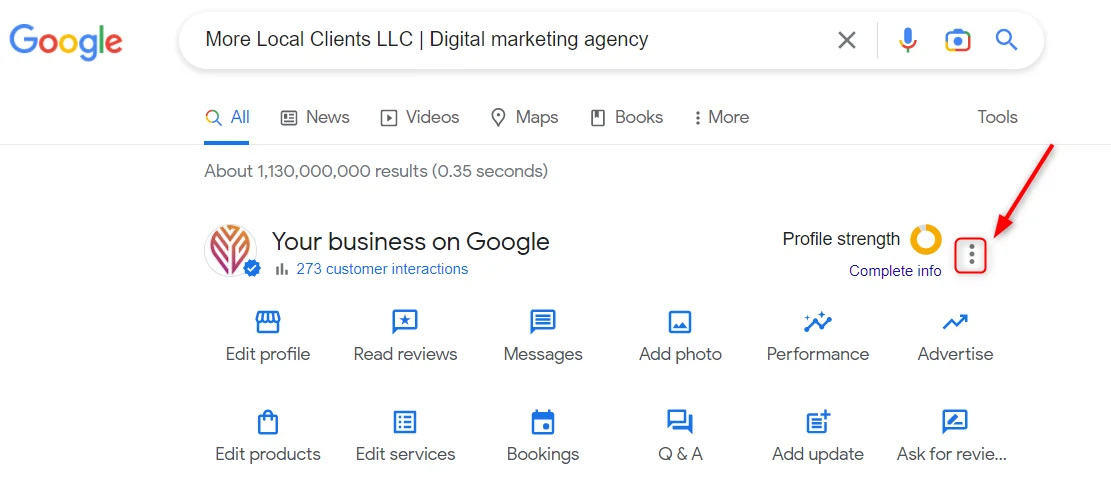
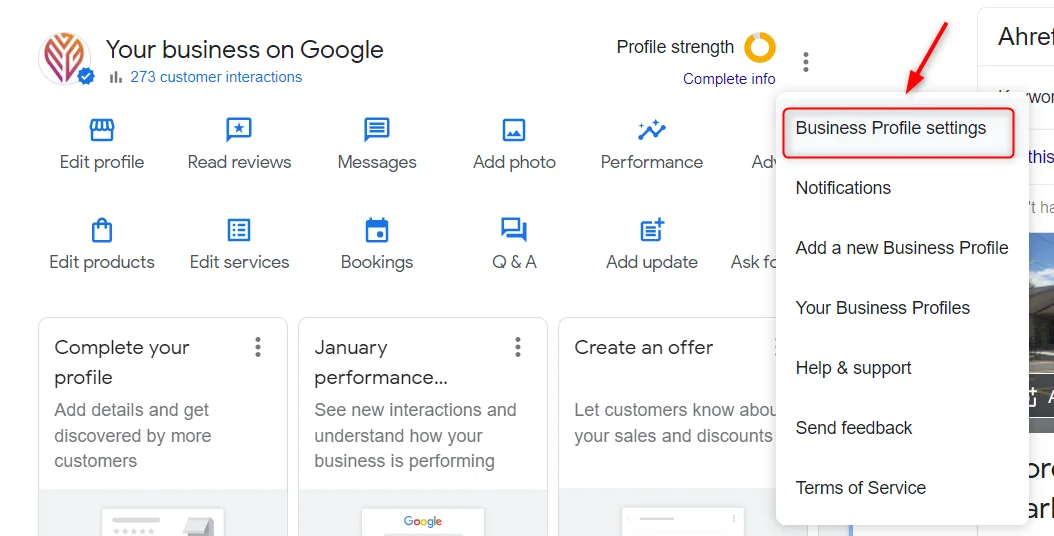
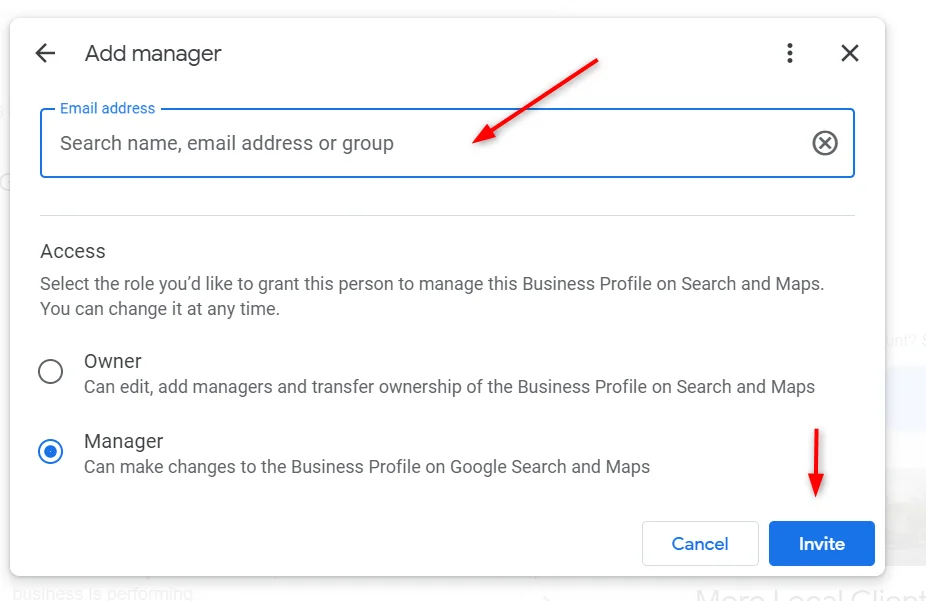
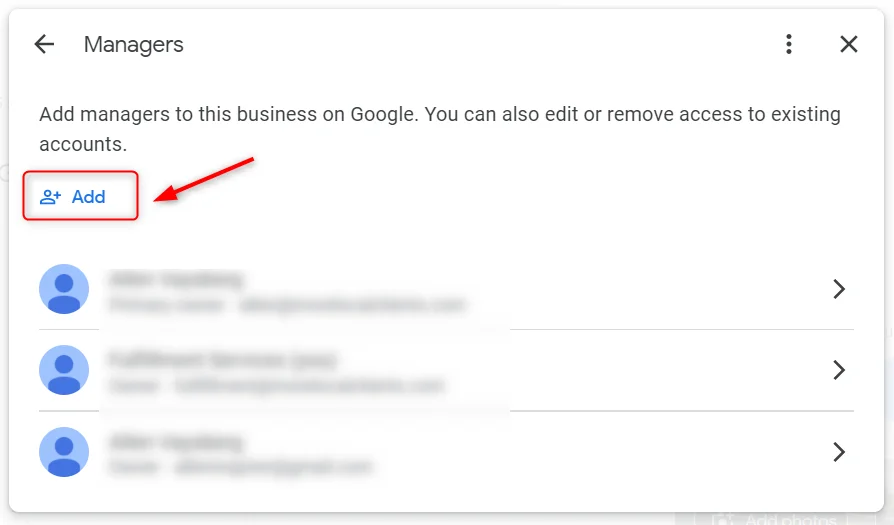
- That’s all! Well done!

We hope you found this instruction helpful! If you have any questions or would like to discuss your Google Business Profile optimization, don’t hesitate to contact us. Our digital marketing team is here to help!
Ready to work with an agency that gets it?
Let’s spend 30 minutes together

We hope you found this instruction helpful! If you have any questions or would like to discuss your Google Business Profile optimization, don’t hesitate to contact us. Our digital marketing team is here to help!

Ready to work with an agency that gets it?
Get in touch and we’ll respond shortly and help you find the right solution.
The latest insights, strategies, and trends from our team, delivered to your inbox.
Let's spend 30 minutes together — no pitch, no pressure, just a real conversation about your growth. Walk away with a clear strategy whether you hire us or not.